The full tour — cues, MIDI, the two-view layout, STEP, the recorder, announcements, and resources.
Two views. One app. Zero alt-tab.
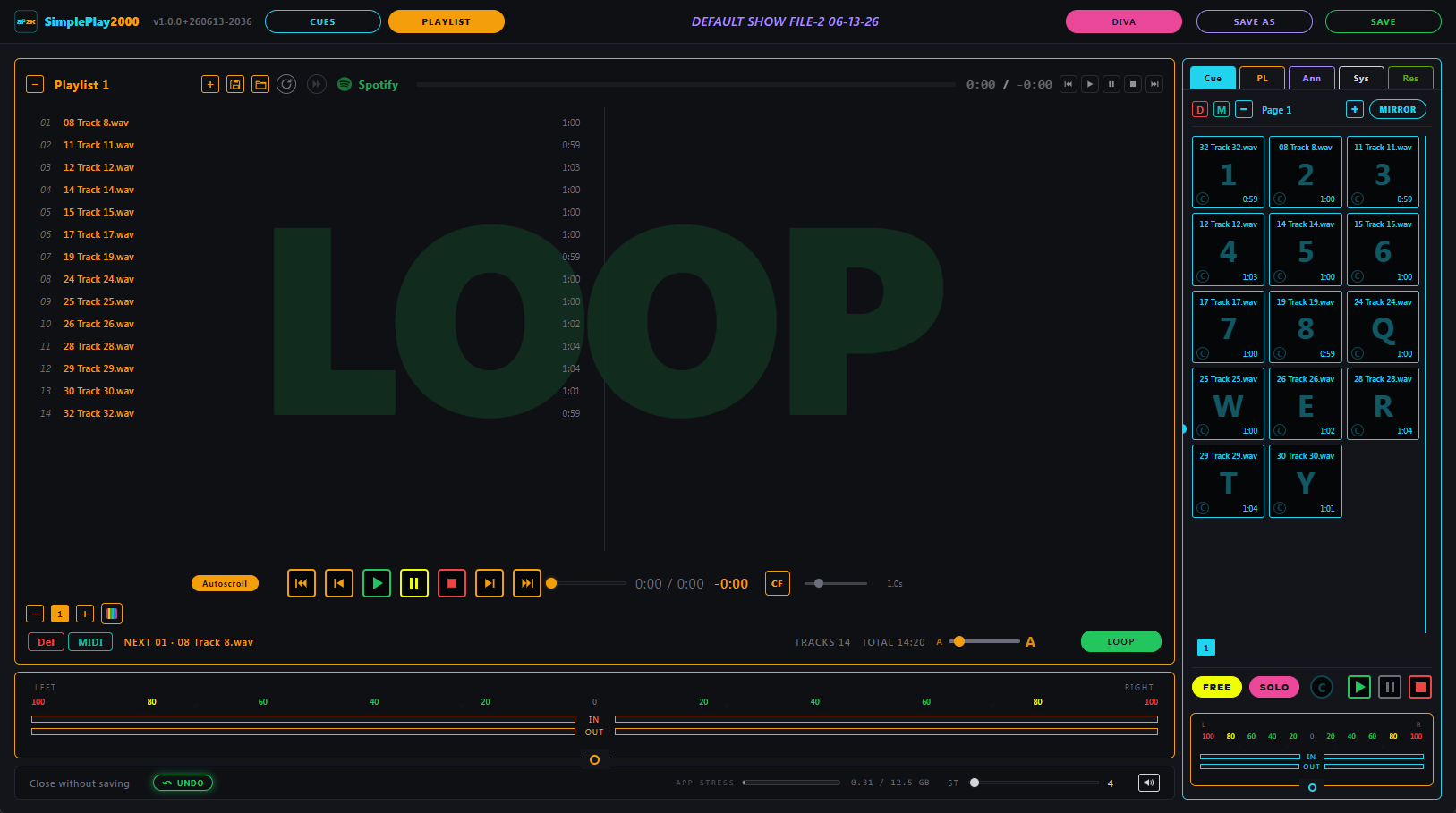
Whatever you're driving, the other half remains accessible in the side panel. So a cue is always one keystroke from a playlist, and vice versa.
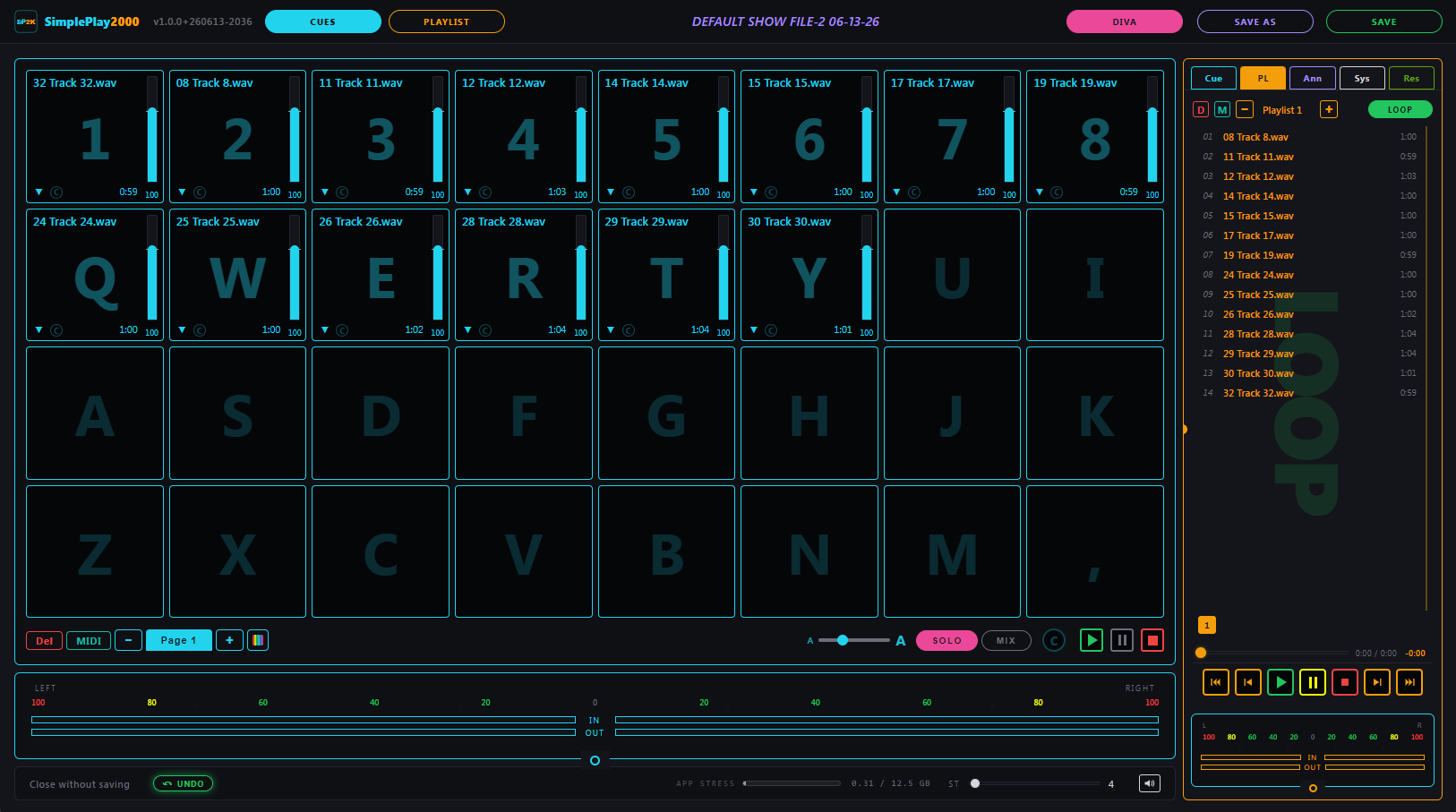
CUESCue grid in front. Playlist standing by in the side panel.PLAYLISTPlaylist in front. Cue grid standing by in the side panel.
DIVACues OR playlist, not both. Firing a cue stops the playlist; starting the playlist stops the cue. Right for shows where one thing should hold the room at a time.
DUETCues AND playlist together. Drop a sting or a sound effect over a running music bed without interrupting the bed.
Cues, the way operators actually fire them.
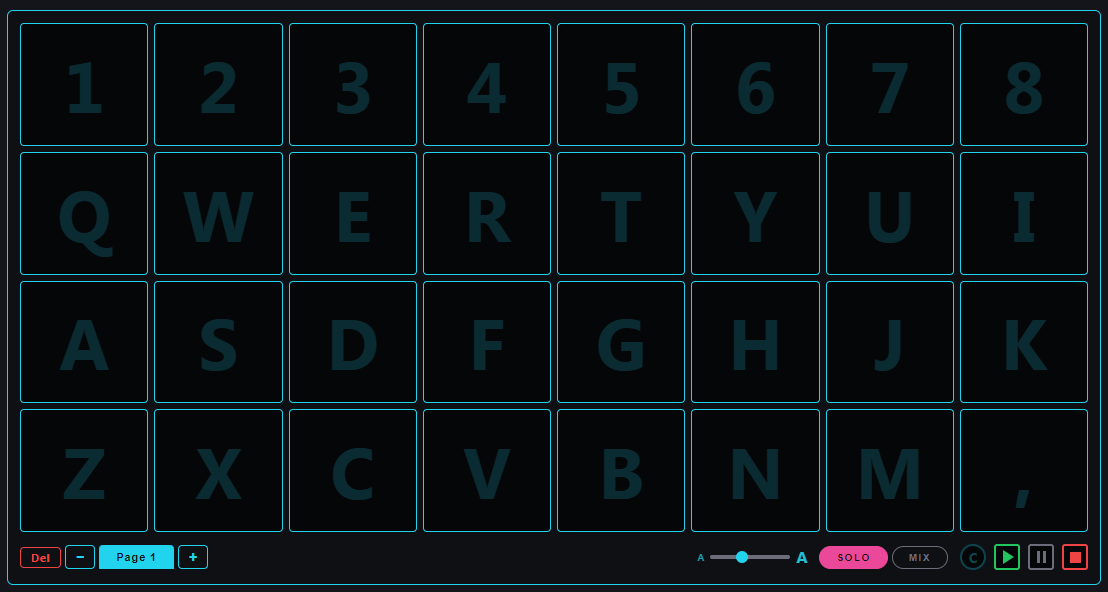
Every key on the top four rows of your keyboard is a cue. Number row for the favorites, letter rows for the rest. Multiple pages when one grid isn't enough. Solo to fire one at a time, Mix to layer them. Of course your MIDI board is welcome as well.
32 CUESOne per key. Top four rows of your keyboard — number row + Q-I + A-K + Z-, — fire the 32 cues on the page.
PAGESRun out of cues? Hit + at the bottom of the grid and start a new page. Up to 10 pages, each its own 32-cue layout, flip between them mid-show.
SOLOInside the cue grid: one cue plays at a time. Firing a new one immediately triggers. Right for stings, walk-ups, anything that shouldn't stack.
MIXInside the cue grid: cues stack. Layer crowd noise under an announcement, or run a bed loop while triggering one-shots over the top — all at once.
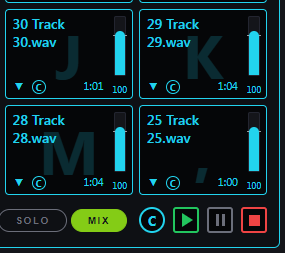
Before: four armed cues. MIX on. C button ready.
→
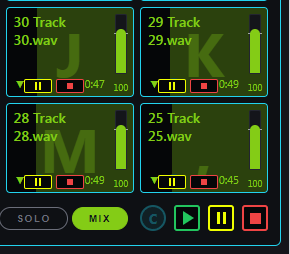
After: one click of C, all four fire at the same time.
CCommon transport. Arm any combination of cues first, then click C — every armed cue fires at the same time.
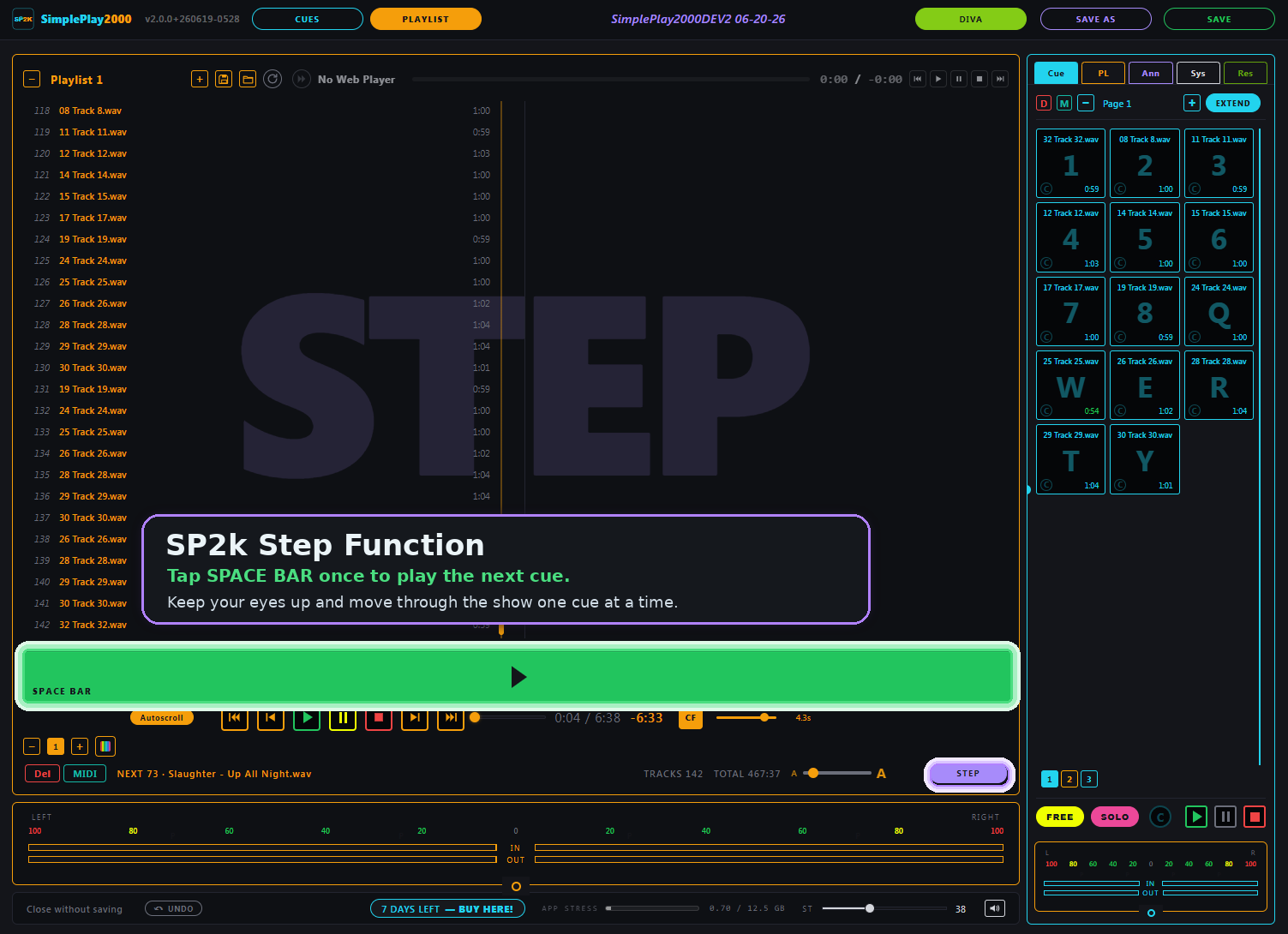
Run the playlist from the space bar.
Flip the playlist to STEP mode and one key drives the whole set — built for the booth, when your eyes belong on the room.
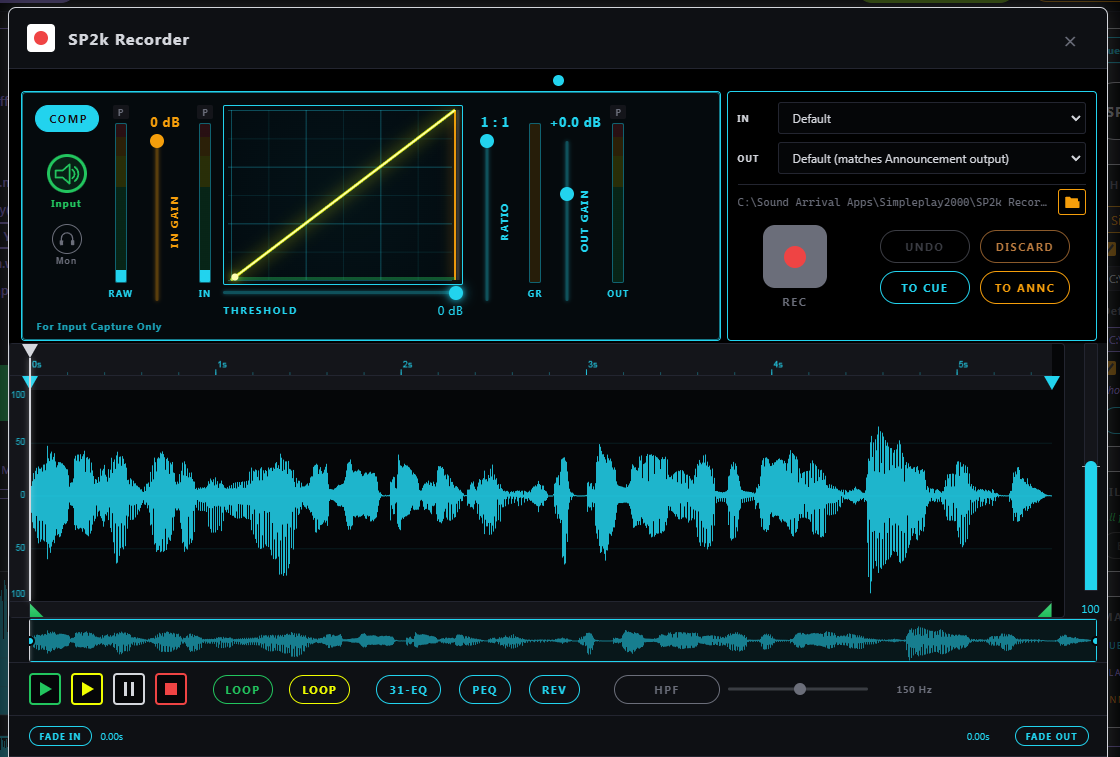
Voice overs, on the fly. Surgical edits, in the moment.
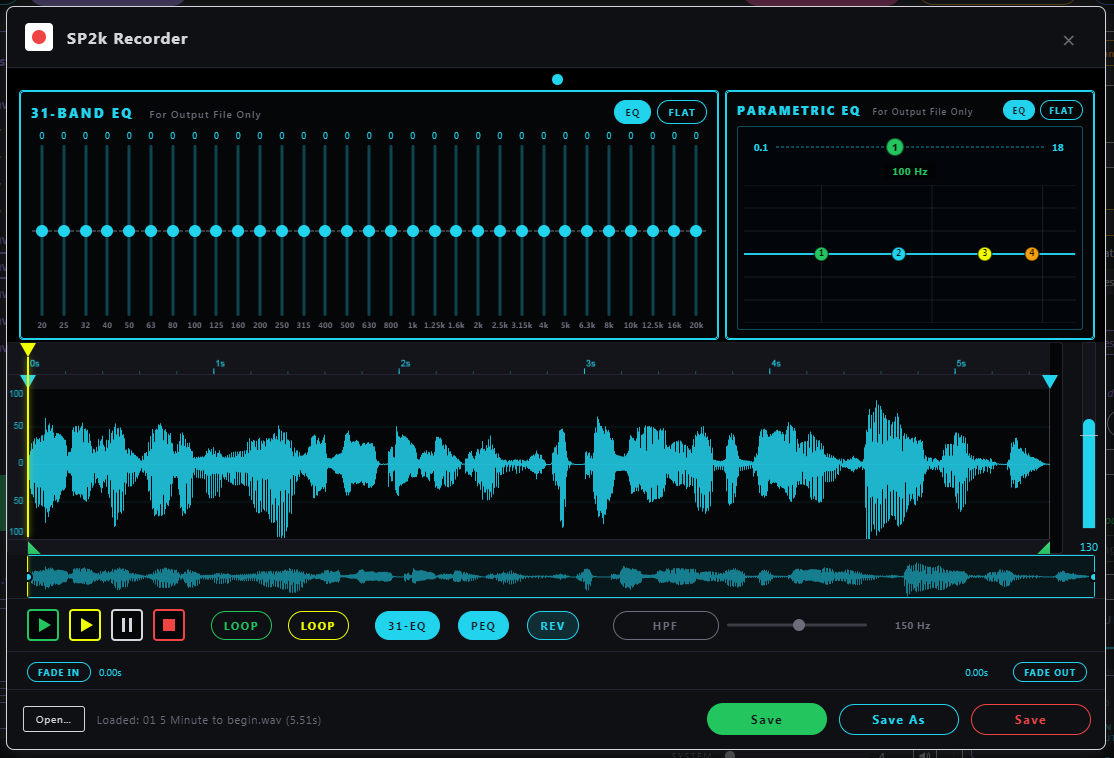
Record. Trim. EQ. Send it directly to the next open cue slot or announcement slot for instant on-the-fly ducking. No DAW. No app switching. No delays.
COMPRESSORInput Compressor with live gain reduction meter. Tame "expert" voices as you collect them for "live" address!31-EQ · PEQ31-band graphic EQ + 4-band parametric. Carve out room boom or a hissing AC duct. EQ what you save, save what you hear.
Every announcement, its own remote.
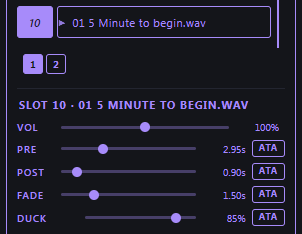
Each slot carries its own volume, pre-roll silence, post-roll silence, music fade time, and ducking depth — so a stage cue and a fire-drill cue can sit next to each other without you re-balancing every time.
VOLPlayback level for this slot only — the room's loud talker doesn't need the same volume as a whisper-soft pre-show note.
PRELead-in silence before the VO. Give the duck a chance — let it drop the music down before the voice ever comes in.
POSTSilence after, before the music ramps back. Let the moment land.
FADEHow fast the music ducks down and back up around the announcement.
DUCKHow far down the music goes — 80% by default, anywhere from "barely there" to full silence.
ATAApply to All — push one slot's settings to every announcement.
Fire cues from a MIDI controller.
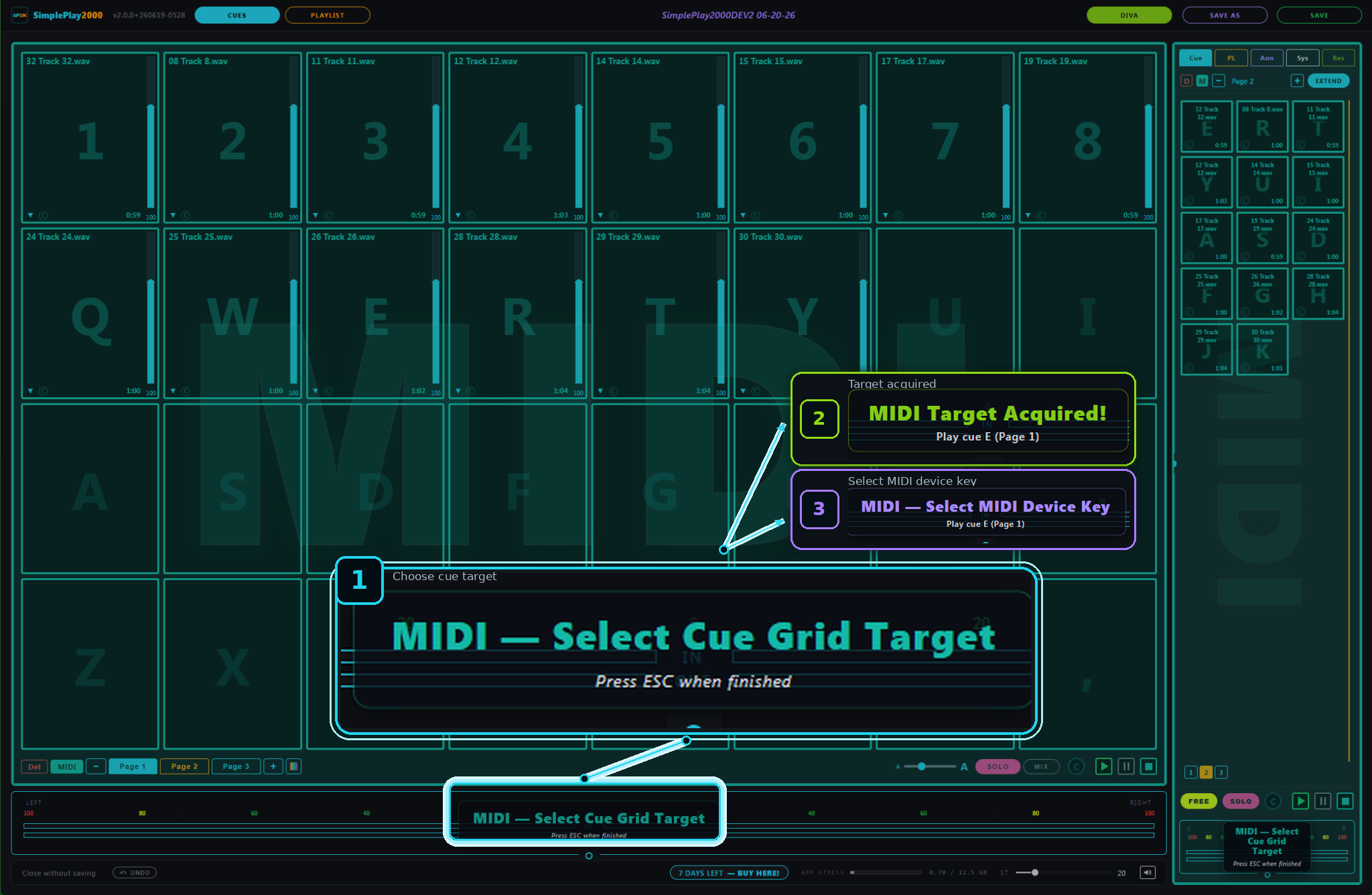
Map pads and knobs to your cues and controls with MIDI Learn. A Launchpad maps itself — no setup.
MIDI LEARNMap a pad or knob to a cue or control — press a pad, click the target.
AUTO-MAPPlug in a Launchpad and the grid maps itself. No setup.
LED FEEDBACKLaunchpad pads light up to follow your show.
ANY CONTROLLERWorks with class-compliant USB MIDI controllers. Bindings save with your show.
Bookmarks and other resources, in the app.
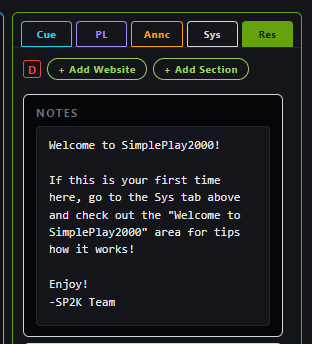
A Resources tab next to your cues and playlists. One-click links to the audio tools and music libraries you actually use — opens in your browser, no leaving the show. Plus a notes scratchpad that travels with the show file.
Spotify, if you use it.
SimplePlay2000 can drive Spotify — the desktop app or the web player — so your own playlists sit alongside your cues and get the same transport, the same DIVA/DUET rules, and the same MIDI pads. It's a remote control, not a player — Spotify does the playing, and everything you hear comes from them.
You'll need your own Spotify Premium account, which isn't part of a SimplePlay2000 licence, and a free Client ID you create yourself. That takes a few minutes, once.
 SimplePlay2000
The pro soundboard for live events.
SimplePlay2000
The pro soundboard for live events.
 Download for Windows and Mac